HomeUsb capture video

Usb capture video

(1009 products found)

Related results:
Express

Frequently Asked Questions about Usb capture video

How do I choose the right USB video capture device for my needs?
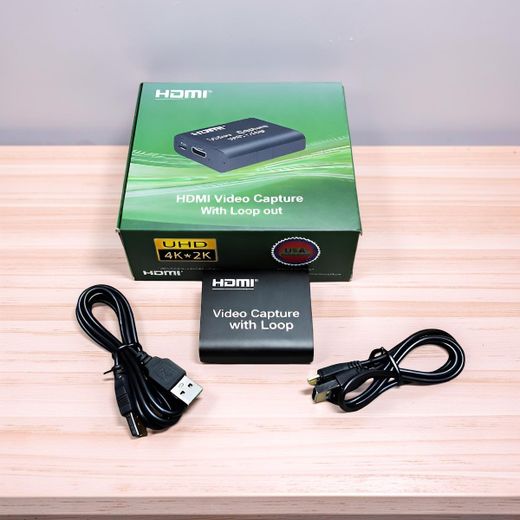
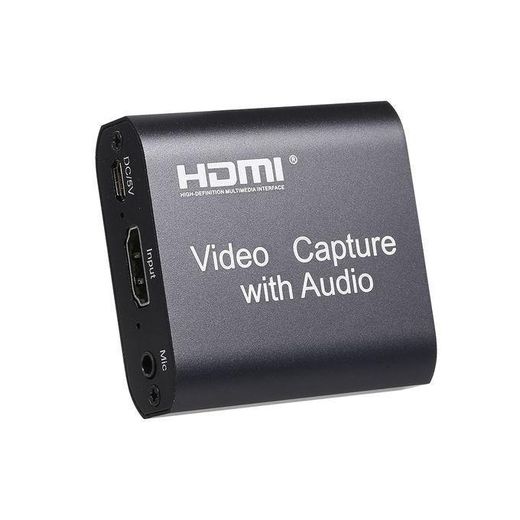
Start by identifying your main use: live streaming, online meetings, or game capture. If you work with high‑resolution sources, look for models that handle up to 4K input (3840x2160) at 30Hz and output 1080p at 30–60Hz for smooth playback. Check connection type (USB 3.0 for higher bandwidth) and features like Plug‑and‑Play compatibility, Studio Mode for dual windows, and Loop Out for pass‑through video. These concrete options align with products that support OBS, Zoom, and other popular software. This helps you pick a device that matches your setup without overkill.
What is the most complex attribute to understand when selecting a USB capture device, and why does it matter?
The most complex attribute is the relationship between input resolution, output resolution, and frame rate. Some devices accept 4K input but deliver 1080p output or 30Hz capture, which affects how smooth your recordings or streams look. Understanding this helps you avoid bottlenecks: you won’t gain visual sharpness by feeding 4K sources into a capture card that only outputs 1080p at 30Hz. Matching the source capabilities with the card’s actual capture/output specs ensures your content looks consistent and professional.
Which usage scenario is best suited for HDMI capture cards with Loop Out versus those without?
If you’re live‑streaming or recording in real time for audiences, a model with Loop Out is ideal because it lets you send a clean HDMI signal to a monitor or recording device while capturing internally. For conference calls or classroom demonstrations, a straightforward HDMI to USB setup without Loop Out can be sufficient and simpler to configure. The choice depends on whether you need simultaneous monitoring/output alongside recording, as Loop Out features specifically support smoother multi‑output workflows and real‑time feedback.
What should I consider about compatibility and software when buying these devices?
Look for Plug‑and‑Play operation and cross‑platform compatibility, including Windows, Mac, and Linux. Many models are confirmed to work with OBS, VLC, Zoom, and other common applications, so you can count on seamless integration without extra drivers. Also verify that the device can handle your preferred software’s capture settings (windowed capture, screen share, or game capture) to ensure your workflow remains uninterrupted during meetings or streams.
If I run into latency or signal issues, what practical checks should I perform?
First, confirm you’re using a USB 3.0 port on a capable computer, as higher bandwidth reduces latency and supports higher resolutions. Next, ensure your source device outputs at a compatible resolution and frame rate (for example, 4K input with 1080p60 capture where supported). Finally, experiment with the Studio Mode and window layout options to optimize the signal path and reduce delay, keeping in mind that real‑time monitoring often depends on both the capture card and software settings.
Are there warranty or support considerations I should note for these capture devices?
Warranty durations vary by model, with several units offering a standard one‑year warranty and supportive seller terms. When choosing, prefer products from reputable sellers that clearly mention warranty coverage and return policies, so you have confidence in long‑term use. This ensures you can obtain guidance or service if the device experiences issues during its useful life.