HomeTripod for live streaming setup

Tripod for live streaming setup

(1012 products found)

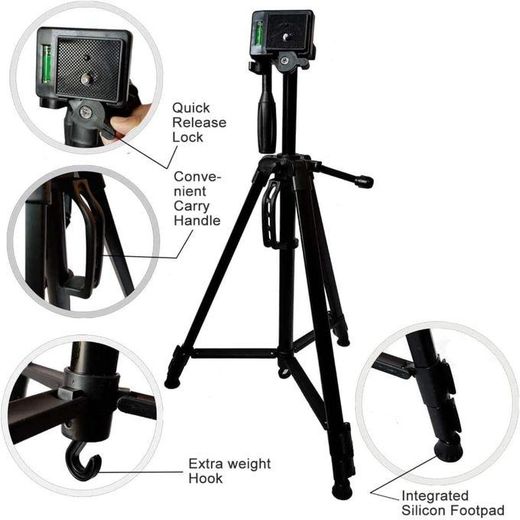
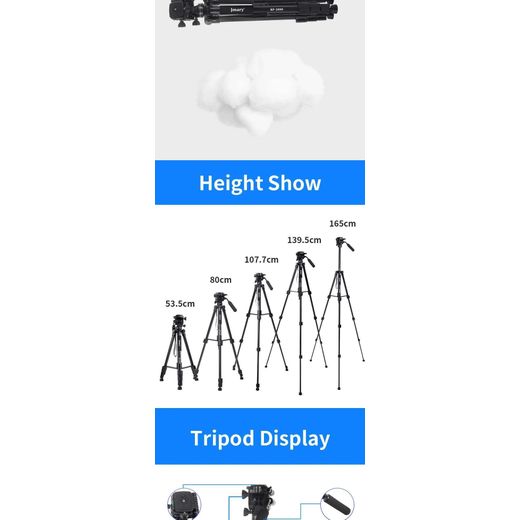
Elevate your live streaming experience with our premium tripod designed specifically for streaming setups. Engineered for stability and versatility, this tripod accommodates various devices, ensuring smooth and professional-quality broadcasts. Its adjustable height and 360-degree rotation allow for dynamic angles, while the lightweight design ensures easy portability. Perfect for content creators, gamers, and professionals alike, this tripod is your essential tool for achieving flawless live streams. Enhance your production value today with our top-tier tripod!
Express

Frequently Asked Questions about Tripod for Live Streaming Setup

How do I pick the right tripod for live streaming?
Start with your primary device and shooting height. For phones, a compact, sturdy tripod with a reliable phone mount is ideal, while cameras may require a heavier, taller model. Check load capacity to match your device weight and consider whether you need built‑in lighting or a fluid head for smooth motion. Material and build quality determine stability during long streams, while portability matters for creators on the go.
What tripod head types should I consider for smooth video?
Fluid heads provide smooth panning and tilting, ideal for video streaming where camera movement matters. Ball heads are versatile and quick to adjust, good for static shots with occasional angles. For dynamic setups, a fluid head on a sturdy tripod balances weight distribution and reduces jerkiness. Ensure the head supports your device’s weight and offers secure quick‑release mounts.
Should a beginner use a tabletop or floor‑standing tripod?
Beginners generally start with a tabletop tripod for compact spaces and easy desk setups, then graduate to a full‑size model for higher shots and flexibility. A floor‑standing tripod provides reach, stability, and better angle options for full‑body or taller streams. If you plan mobile streaming, consider a lightweight, foldable option with adjustable height and quick mounting plates.
What should I check when mounting phones, cameras, or lights?
Ensure compatibility with your device size and weight, and verify secure mounting with anti‑slip grips or clamps. Use quick‑release plates for fast changes between devices, and ensure heat dissipation is managed to avoid overheating during long streams. If using lights, balance weight to prevent tipping and consider a separate light stand if your tripod lacks integrated illumination.
How should I set up lighting and microphone on a tripod kit?
Place lighting at about 45 degrees to your face for flattering illumination, avoiding harsh direct light. Attach the microphone on a separate boom or dedicated stand to minimize handling noise and keep it positioned close to your mouth. Use cable management clips to keep cords tidy, and prefer a kit with wind protection or a pop shield for outdoor or noisy environments.
Which brands or kit combinations are recommended for live streaming?
Look for 3‑in‑1 or multi‑kit options from reputable brands that bundle tripods with phone mounts, lights, and mics. Popular choices include versatile, all‑in‑one kits that simplify setup and shipping. Read reviews on stability, ease of use, and durability to select a kit that fits your device size and streaming style, ensuring you get reliable performance across sessions.