HomePc compatible webcam 1080p

Pc compatible webcam 1080p

(392 products found)

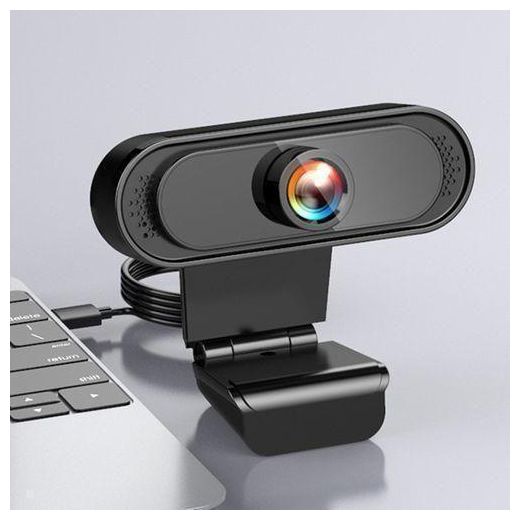
Enhance your video conferencing and streaming experience with our PC compatible 1080p webcam. Designed for seamless integration with various operating systems, this high-definition webcam delivers crystal-clear visuals and vibrant colors, ensuring you always look your best on screen. Featuring advanced autofocus and low-light correction, it adapts to any environment, making it ideal for professional meetings or casual chats. Elevate your online presence with this essential tool for remote communication and content creation.
Express

Frequently Asked Questions about PC Compatible Webcam 1080p

How do I choose a PC-friendly webcam with 1080p and built-in mic?
Start with universal compatibility, then prioritize autofocus, good low-light performance, and a built-in microphone. Look for plug-and-play USB connectivity, a sturdy stand, and a clean, simple design that fits your desk setup. In this lineup you’ll see models described as wide or universal compatible, all designed to deliver sharp full HD video and clear audio without requiring extra software. A reliable webcam should be easy to install, switch between devices, and work with common video conferencing apps.
What is autofocus versus fixed focus, and how do field of view and mic quality influence my choice?
Autofocus maintains sharp images as you move, while fixed focus stays sharp at a set distance. Field of view determines how much of your space is visible; wider FOV can capture more background but may distort facial proportions. Built-in mic quality matters for clear conversations, especially in noisy environments. If you video conference often, prioritize autofocus and a clear, noise-free mic; if you stream from a fixed spot, a balanced FOV and solid mic will suffice.
Would a webcam be better for remote work or content creation, and why?
For remote work, prioritize reliable video, strong mic quality, and straightforward setup to minimize interruptions. Content creators should look for higher frame rates, better low-light performance, and a few customization options like exposure control. In this catalog you’ll find universally compatible models with built-in mics designed for daily meetings, plus options aimed at creators that emphasize flexibility and image quality in various lighting conditions.
What maintenance and compatibility tips should I follow?
Keep the camera lens clean with a microfiber cloth and avoid touching the glass with dirty hands. Ensure the webcam is recognized by your computer’s operating system and any required drivers are up to date. Position the device at eye level and use a stable mount. Regularly check for firmware updates, test audio, and ensure privacy via built-in shutters if available.
Which brands or warranty considerations should I keep in mind when buying webcams?
Choose brands known for dependable webcams and clear warranty terms. Look for models with straightforward return policies, reasonable coverage, and responsive support. In this assortment you’ll see generic and well-known options; weigh warranty length and service terms to ensure you have help if a camera or mic develops a fault after purchase.