HomeEufy security smart lock

Eufy security smart lock

(198 products found)

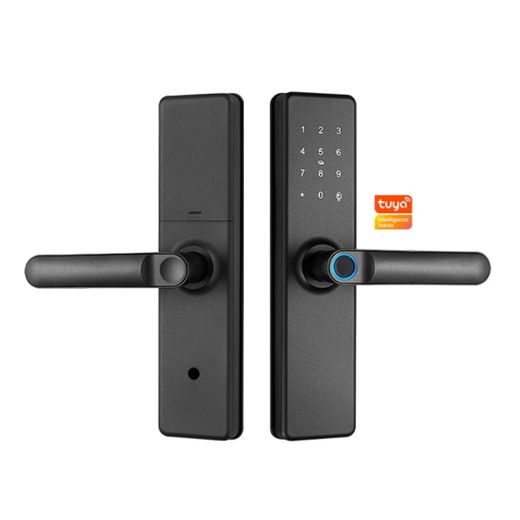
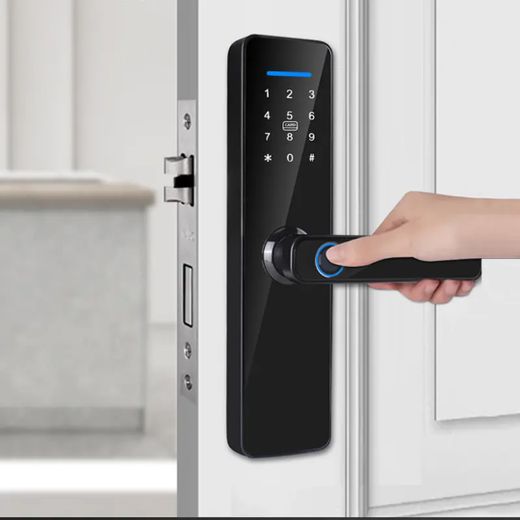
Discover the Eufy Security Smart Lock, a cutting-edge solution for home security that combines convenience and advanced technology. Featuring keyless entry, customizable access codes, and robust encryption, this smart lock ensures your home remains secure while providing seamless access for family and friends. With its sleek design and easy installation, the Eufy Smart Lock integrates effortlessly into your smart home ecosystem, offering peace of mind and enhanced control over your property. Upgrade your security today!
Express

Frequently Asked Questions about Smart Locks from the Listing

How do I choose the right smart lock category for my door and lifestyle?
Identify the door type and preferred access methods first, then pick a category that matches your daily use. For homes or offices, choose Wi‑Fi or app-enabled locks from trusted brands like eufy or Anker for remote control and alerts; for tighter budgets or multi-brand setups, consider Tuya-powered options. If you host guests or short-term renters, look for guest codes and audit trails. Finally, confirm compatibility with your door’s hardware and whether you need lever or knob styles for a secure fit.
What is the most complex attribute of smart locks, and how should I evaluate it?
Biometric or fingerprint recognition is the most complex attribute. Focus on sensor quality, enrollment process, and everyday reliability. Look for locks that store multiple fingerprints, maintain a low false rejection rate, and function well in your climate and with oily or sweaty fingers. Brands like eufy and Tuya often emphasize robust sensors and easy enrollment, but always verify real-world performance reviews and ensure the lock supports your preferred mobile app for seamless control.
Which usage scenario should guide my choice, Home vs Airbnb vs Office?
For a typical home, prioritize simple operation, long battery life, and reliable app integration. An Airbnb host should favor temporary guest codes, audit trails, and remote management, so a Wi‑Fi lock with guest access features is ideal. Office users often need multiple user codes and robust access logs. In all cases, ensure the lock type aligns with door setup (lever vs knob) and that the chosen brand offers consistent firmware updates and customer support.
What maintenance and compatibility steps should I follow when installing a smart lock?
Start by confirming the lock fits your door thickness and strike plate, then follow the manufacturer’s mounting instructions carefully. Replace batteries on schedule and perform firmware updates to keep features secure. Avoid mixing incompatible accessories, keep the lock clean from dust and grime, and test entry and exit from both sides of the door. If you rent or manage properties, document codes securely and review compatibility with your door’s existing hardware.
Which brands should I trust, and how do they differ in features?
Trust brands that offer clear app support, robust security features, and good customer service. eufy and Anker are known for reliable Wi‑Fi locks with seamless app control, while Tuya-based options provide broad compatibility with many smart home ecosystems. When comparing, consider ease of setup, code or fingerprint options, and how well the product integrates with your preferred smart home platform. Always check for updates and local warranty terms for peace of mind.
What safety and privacy considerations should I keep in mind with smart locks?
Prioritize devices with strong encryption, tamper alerts, and automatic lock features to prevent accidental exposure. Set strong, unique passwords and limit remote access to trusted devices or accounts. Disable unused features, regularly review access logs, and keep firmware up to date to reduce vulnerabilities. Choose reputable brands that publish security notes and provide ongoing support, especially for rental properties where guest access is frequent.